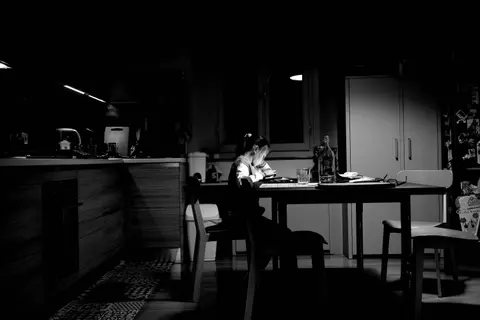
You bought the tablet so your child could study. Then you walked past their room and saw the homework tab buried under three games and a group chat. You're not imagining it — the same device that's supposed to help with study habits is also the most distracting object in the house.
Here's the fix that works without a fight: give the work and the fun separate homes. Whenever you can, let one device (or one locked, boring corner of a device) be for learning and communication, and a different one be for entertainment. When studying and scrolling don't share a screen, your child's brain stops having to choose every thirty seconds — and the study habit finally has room to stick.
Why one shared device quietly breaks study habits
A single device that does homework and TikTok and gaming isn't neutral. To your child's brain, that screen has been a fun machine far more often than a work machine. So every time they open it to study, part of their attention goes to what else is in here? — even when they're trying hard not to look.
This isn't a willpower failure, and it isn't a character flaw. It's a design problem. You're asking a 12-year-old to do focused work inside the exact object engineered to pull their focus away. Researchers have even found that simply having a phone nearby can use up a slice of attention, whether or not the child picks it up.
The reframe that helps: you're not taking the fun away — you're giving the work a clean room. Fun still happens. It just happens somewhere the homework can't see it.
Five moves to separate study devices from entertainment
You don't need two expensive gadgets. You need a clear line between "this is for work" and "this is for play." Pick the moves that fit your home.
-
Name a study device — even a humble one. If you have a spare laptop, an old tablet, or a Chromebook from school, make that the only device used for homework. No games installed, no entertainment apps, signed into school accounts only. The fun phone or tablet lives in another room during study time. A "boring" device is a feature, not a downgrade.
-
If you only have one device, split it into two modes. Create a separate "School" user profile or login. School profile = browser, docs, and the apps homework actually needs. Personal profile = everything else. Switching profiles becomes a small ritual that tells the brain we're working now. It's a doorway, not a punishment.
-
Put the entertainment device out of sight, not just on silent. Face-down on the desk still pulls attention. Across the room, in a drawer, or charging in the kitchen works far better. Out of sight genuinely lowers the background tug — distance does the work so your child's willpower doesn't have to.
-
Schedule the fun, don't ban it. Plan real breaks: twenty-five minutes of work, then five minutes on the entertainment device — somewhere away from the study spot. Knowing the phone is coming back at 4:30 makes it far easier to leave it alone until 4:30. You're not the screen police; you're the keeper of a fair deal.
-
Make the rule about the room, not the kid. Frame it as a house norm: in this space, screens are for school. When the rule lives in the environment instead of in nagging, your child stops feeling watched and you stop being the bad guy. The desk does the reminding for you.
|
The goal isn't a screen-free child. It's a screen that knows its job. |
A worked example: setting up "homework mode" for a Tuesday
Say your child has a math worksheet and a short reading passage due tomorrow. Here's the method in motion — notice we never touch the actual assignment, only the setup around it.
- 4:00 — Phone goes to charge in the kitchen. Study device (or the School profile) is the only screen at the desk.
- 4:00–4:25 — Math worksheet, one focused block. No tab-switching, because there's nothing fun to switch to.
- 4:25–4:30 — Break. Your child grabs the phone in the kitchen, scrolls, texts a friend. Then it goes back on the charger.
- 4:30–4:50 — Reading passage on the study device.
- 4:50 — Done. Phone is theirs again.
Same homework, same kid. The only thing that changed is which screen lived where. That's the whole trick — and it's a routine your child can run on their own once you've set the lanes.
How to know it's working
You're looking for a calmer start, not a perfect one. A few signs the separation is paying off:
- Your child sits down and actually begins, instead of "just checking one thing" for ten minutes first.
- Homework finishes earlier, which means more real free time — a point worth saying out loud to a skeptical kid.
- The end-of-night meltdown shrinks, because the work didn't drag on while a screen quietly ate the hours.
If none of that shifts after a week or two, the line between work and fun is probably still too blurry — usually the entertainment device is still within reach. Move it farther, and try again.
Try this tonight: before homework starts, pick one entertainment device and move it to a different room than where your child works. One small change, one evening. See if the start feels easier.
Want your child to practice the deeper skill — not just where the screen sits, but how to study — every day without the nagging? hello.study turns it into a few-minute daily habit — start free →
Common questions
Are cell phones a distraction when kids are studying?
Yes — even when your child isn't using it, a phone within reach quietly pulls at attention and slows homework down. The simplest fix is distance: move the entertainment device to another room during study blocks, so focus has nothing to compete with from the start.
Should kids use a separate device for studying?
It helps, but you don't need to buy one. If you have a spare laptop, school tablet, or Chromebook, make that the homework-only screen. If you have just one device, create a "School" user profile with only the apps homework needs — that gives you most of the benefit for free.
Should I take my child's phone away during homework?
You don't have to confiscate it — separation usually beats removal as a lasting habit. Move the entertainment device to another room during study blocks and hand it back during planned breaks. That keeps focus high while teaching self-control, instead of starting a nightly power struggle over ownership.
How can parents help kids avoid cell phone distraction?
Make it about the room, not the person: "At this desk, screens are for school." Pair it with a fair deal — focused work now, the fun device back on a scheduled break. A predictable routine meets far less resistance than a surprise ban, because your child knows what to expect.